
Your personal sales assistant
Never miss a follow-up. Never miss a payment.
Nextnora reminds you who to call, which customer to visit, and which payment to collect, so no customer and no money slips through the cracks.
- Android and iOS
- Follow-ups, payments, expenses
- Free to start
Why Nextnora
Stop Managing Customers Across Multiple Places.
When customers live in your call log, WhatsApp chats, spreadsheets, and a paper diary, important conversations, visits, and payments are easy to lose.
Scattered information, missed follow-ups
- Contacts scattered across spreadsheets, phones, and different applications.
- Missed follow-ups and forgotten commitments to prospects and customers.
- Difficulty remembering what was discussed in previous interactions.
- Disorganized prospect and customer information with no clear status.
- No clear overview of upcoming calls, meetings, and activities.
- Payments that are due but not collected, because nobody reminded you.
One workspace for every relationship
- Organize contacts — keep details, companies, and notes in a single record per person.
- Plan follow-ups — set the next action for each contact and review what is due.
- Record interactions — log calls, meetings, and visits so history is always there.
- Separate prospects and customers — see where every contact stands.
- Collect payments — record who owes you and when, and get a reminder for every due date.
- Manage your day on mobile — Home and Activities show what needs attention next, wherever you are.
Features
Everything You Need to Stay Organized.
Everything below is part of the Nextnora mobile app for Android and iOS—not a separate web product.
Product
A Clearer View of Every Relationship.
How Nextnora helps you organize contacts, activities, and follow-ups on Android and iOS.
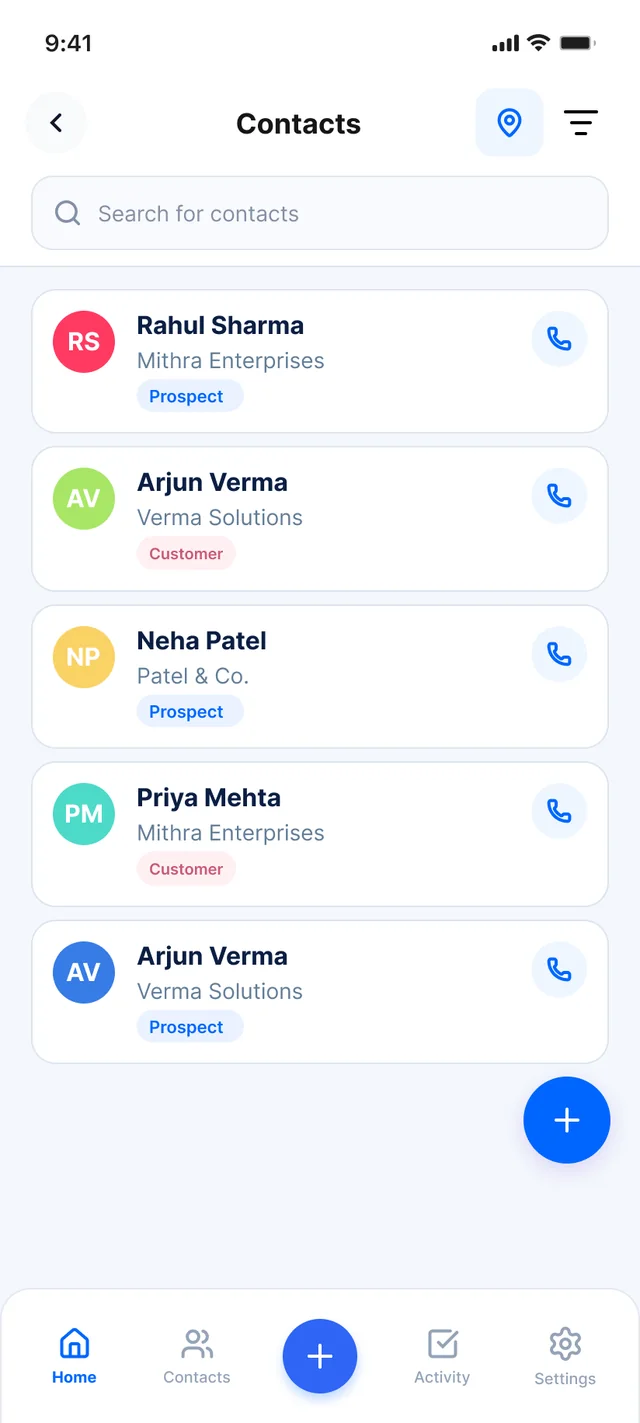
01 · Contact list and search
Find the right person in seconds
Search contacts from your phone and see names, companies, and status at a glance. Tap to call without digging through your address book.
- Search contacts from the app header
- See prospect or customer status on each card
- Quick call action on every contact
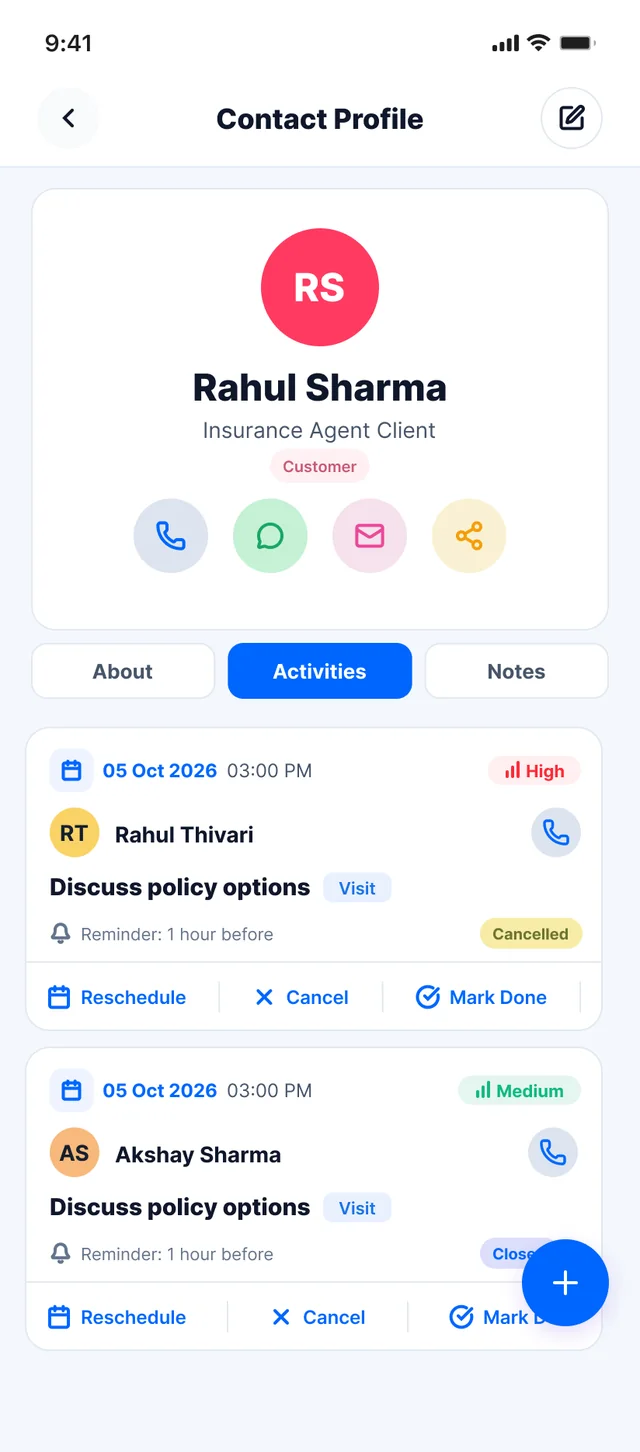
02 · Contact profile and notes
Every detail in one profile
Open a contact to see phone numbers, work information, location, and notes. Everything you need before a call is on one screen.
- Contact details and company on the profile
- Notes and interaction context in one place
- Work information and location when you need it
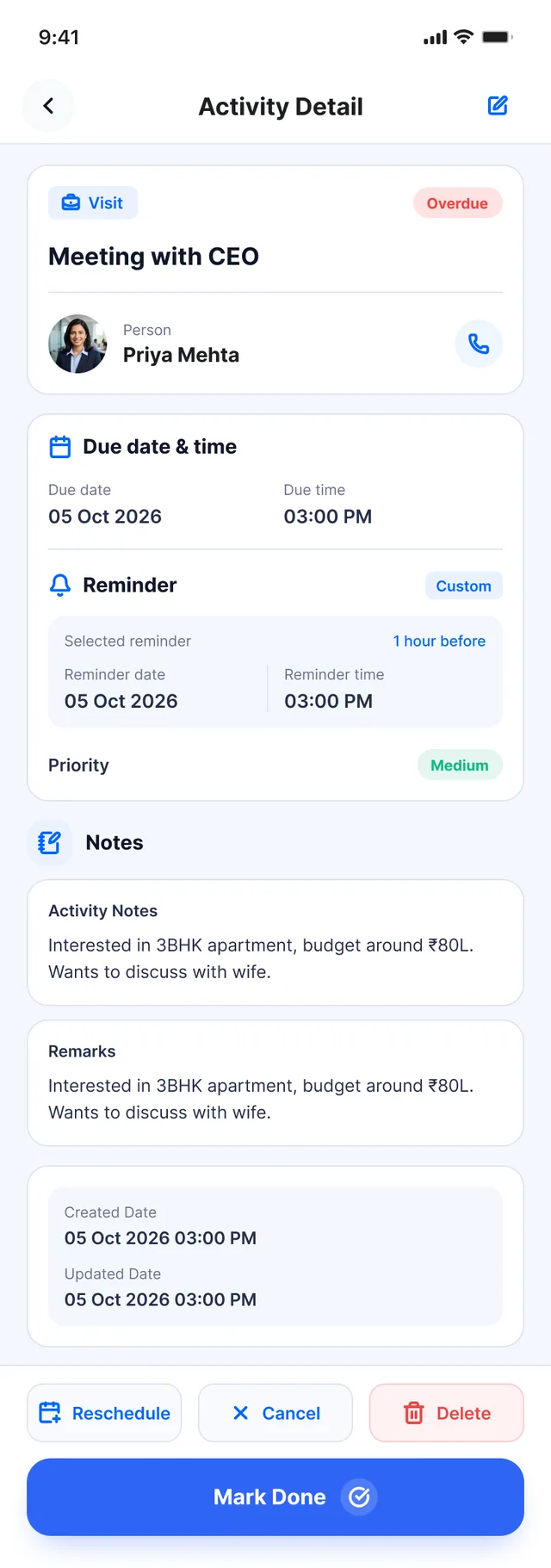
03 · Activities and follow-ups
Plan what happens next
Create activities with due dates, reminders, and priority. Mark them done when finished so your day stays clear.
- Schedule date, time, and reminders
- Set priority on important activities
- Mark activities complete from the detail screen
04 · Activity list
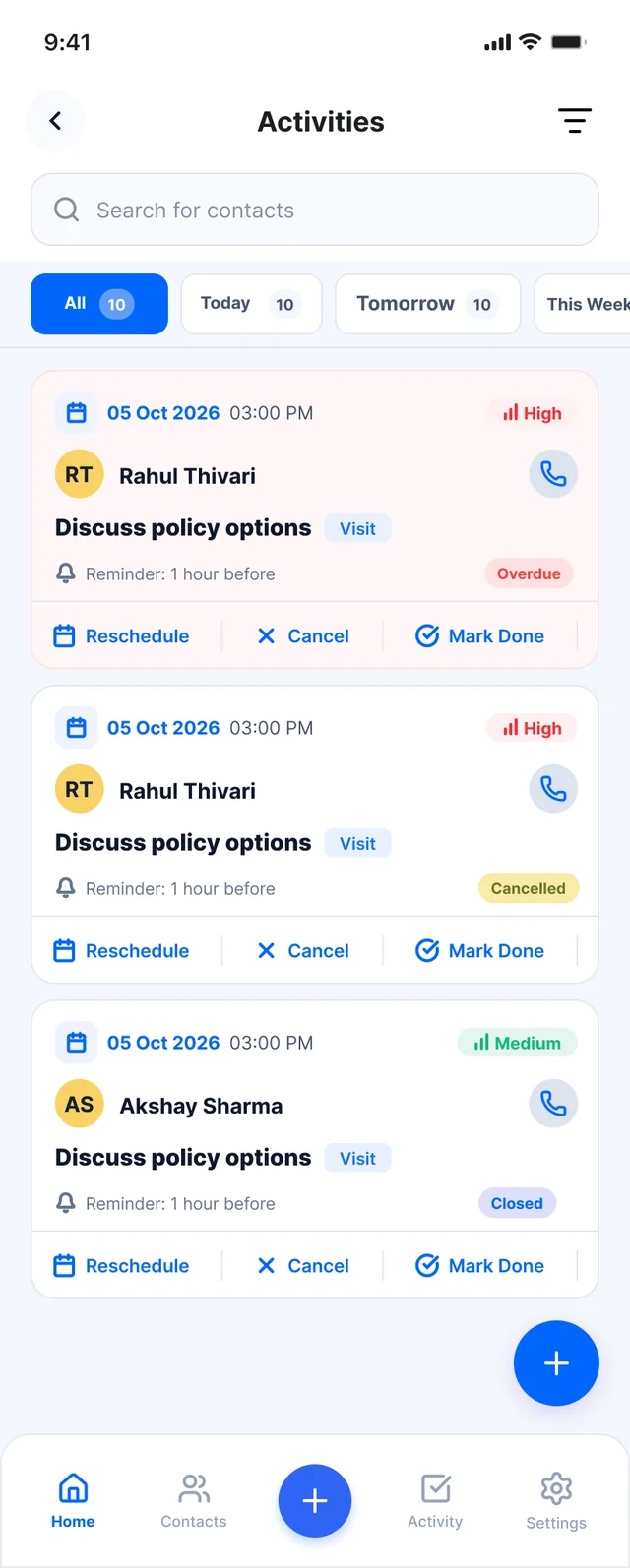
See your week at a glance
Review calls, meetings, visits, and tasks in the Activities tab. Filter what is due so you know what needs attention today.
- Log calls, meetings, visits, and tasks
- Filter activities by status or timing
- Open any item for full notes and history
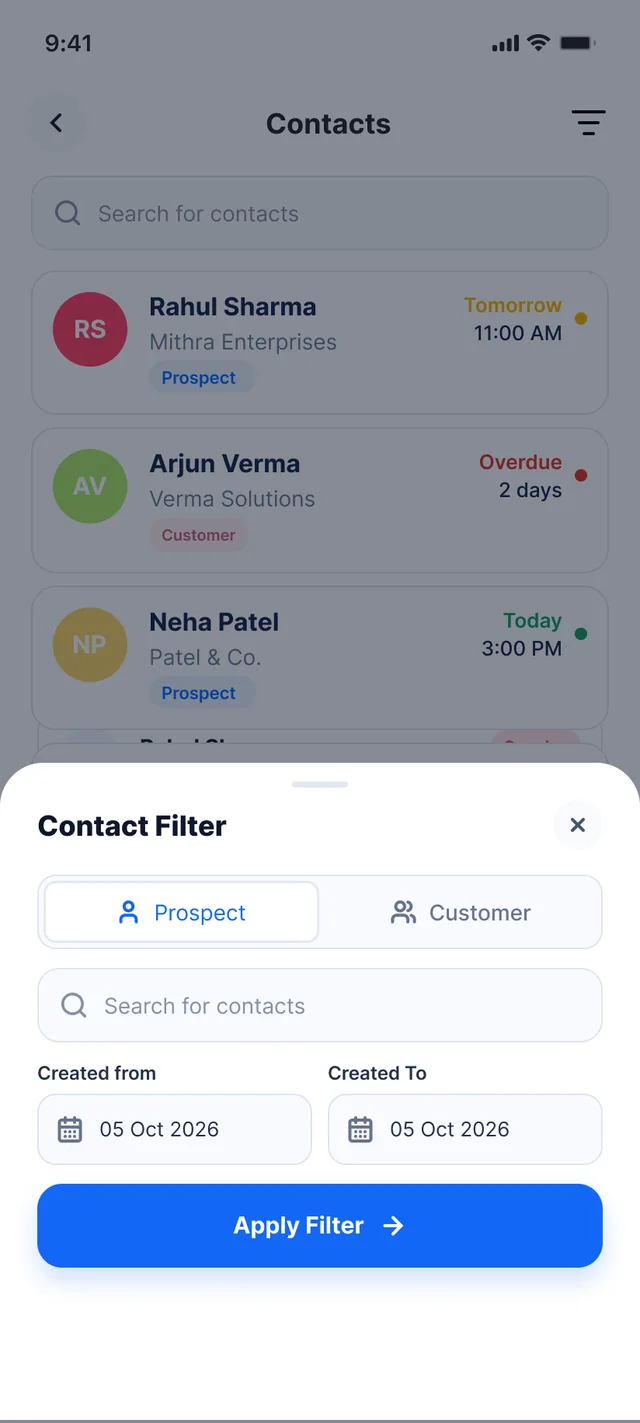
05 · Home and filters
Focus on the contacts that matter now
Start from Home, narrow your list with filters, and find people near you when you are on the road—useful for field sales and local follow-ups.
- Filter contacts by type and status
- Nearby contacts when location is enabled
- Activities and follow-ups in one workflow
How it works
Simple to Start. Easy to Maintain.
Nextnora is designed around a short routine you can keep up every day.
-
Step 1: Add Your Contacts
Add customers and prospects, or import contacts from your phone in seconds.
-
Step 2: Plan Your Next Action
Schedule a follow-up, record a payment due, or note what happened after a call.
-
Step 3: Stay Organized
Get reminders, review what is due today, and keep each customer’s history in one place.
Use cases
Built for People Who Manage Relationships.
Whether you sell, advise, distribute, or run a shop, Nextnora keeps your customers, next steps, and payments organized.
Download the app
Your Customers. Always Within Reach.
Nextnora is your personal sales assistant for Android and iOS. Download it and start for free. Manage customers, follow-ups, and payments from your phone.
- Import contacts and add visits and activities from the app
- Get reminders for follow-ups and payments between meetings
- Call or send a WhatsApp message in one tap


Only official store listings are linked here. Badges marked Coming Soon are not yet available.
Benefits
Spend Less Time Organizing. More Time Connecting.
Nextnora takes care of the record-keeping around your relationships so your attention can stay on the conversations themselves.
No more lost customers
Stop losing people in your call log, WhatsApp chats, or a paper diary. Every customer lives in one record.
Know exactly who to call today
Reminders for calls, meetings, and site visits, with today's, upcoming, and overdue follow-ups on your dashboard.
Collect every payment
Record who owes you, how much, and when. Get a reminder for every due date and follow up by call or WhatsApp.
The full story in one place
Every customer's calls, visits, notes, and pending payments are on their profile, so context never depends on memory.
One-tap calls and WhatsApp
Call or send a WhatsApp follow-up straight from the customer's profile, then note what happened.
Ready in minutes
No training, no laptop, nothing complicated. Import your contacts from your phone and start.
FAQ
Frequently Asked Questions
Clear answers about what Nextnora does and how it works.
Nextnora is your personal sales assistant: a mobile app for Android and iOS that reminds you who to call, which customer to visit, and which payment to collect. It keeps customers, follow-ups, payment dues, notes, and expenses in one place. It is built for sales reps, field executives, agents, distributors, freelancers, and small business owners who work from their phone.
A contact management application stores information about the people you work with, such as names, phone numbers, email addresses, and companies, together with notes and a record of your interactions. Unlike a basic phone address book, it adds context: who each person is to your business, what you last discussed, and what the next step is.
Contact management focuses on organizing people and relationships: contact details, notes, activities, and follow-ups. A CRM (customer relationship management) system usually goes further, adding sales pipelines with deal values, forecasting, marketing automation, support ticketing, and team-wide workflows. Nextnora focuses on contact management, so it stays simple to set up and maintain. Read the full comparison: Contact Management vs. CRM.
Yes. Nextnora lets you keep prospects and customers in the same workspace while tracking the current status of each contact, so you can see who you are still working to win and who is already a customer.
Yes. Record who owes you, how much, and when it is due, and set a reminder for every due date. Nextnora shows upcoming, overdue, and collected payments, and you can follow up on a pending payment by call or WhatsApp.
Yes. Call any customer straight from their profile or send a WhatsApp follow-up in one tap. After a call, you can note what happened and set the next follow-up.
Yes. Add income and expenses in seconds, track fuel, travel, food, and client-visit spending, and create your own categories. You can link money to a customer to see what each client brings in.
Yes. Nextnora has colourful sticky notes, pinned notes, and checklists for daily tasks, and you can link a note to a customer. You can also dictate notes and messages instead of typing.
Yes. You can record calls, meetings, visits, tasks, and other interactions on a contact. Each activity is added to that contact's history, so previous conversations and notes are easy to review.
For each contact, plan the next action you need to take, such as a call, meeting, or email. Nextnora then shows your upcoming follow-ups so you can review what is due and keep track of commitments. For a step-by-step routine, see How to Build a Consistent Follow-Up Process.
Yes. The Nextnora mobile app is available on Google Play, so you can review follow-ups, look up contacts, and record activities away from your desk.
Yes. You can lock the app with a PIN, fingerprint, or face unlock. Your data is encrypted in transit and never sold or shared with third parties. You sign in with WhatsApp OTP or Google, and you can delete your account and data anytime. The Privacy Policy explains what data is collected, how it is used, and how it is protected. If you have a specific security question, please contact the team.
Yes. You can download Nextnora and start for free. Upgrade to the Paid plan anytime for higher limits, billed monthly or yearly through the app.
Download Nextnora from the official listing on Google Play. You can also use the badges in the download section on this page. Only download the app from these official store links.
Still have a question? Contact the Nextnora team.
Every Customer. Every Follow-Up. Every Payment.
Keep your customers, follow-ups, payment dues, notes, and expenses together with Nextnora.